
Your code is under new management
Your code is under new management
This last week, with the help of some folks at Sentry, I shipped a new Fair Source project I’m calling Warden.
The goal was simple: make it easy to run various review agents on any pull request. A linter for the modern age of LLMs.
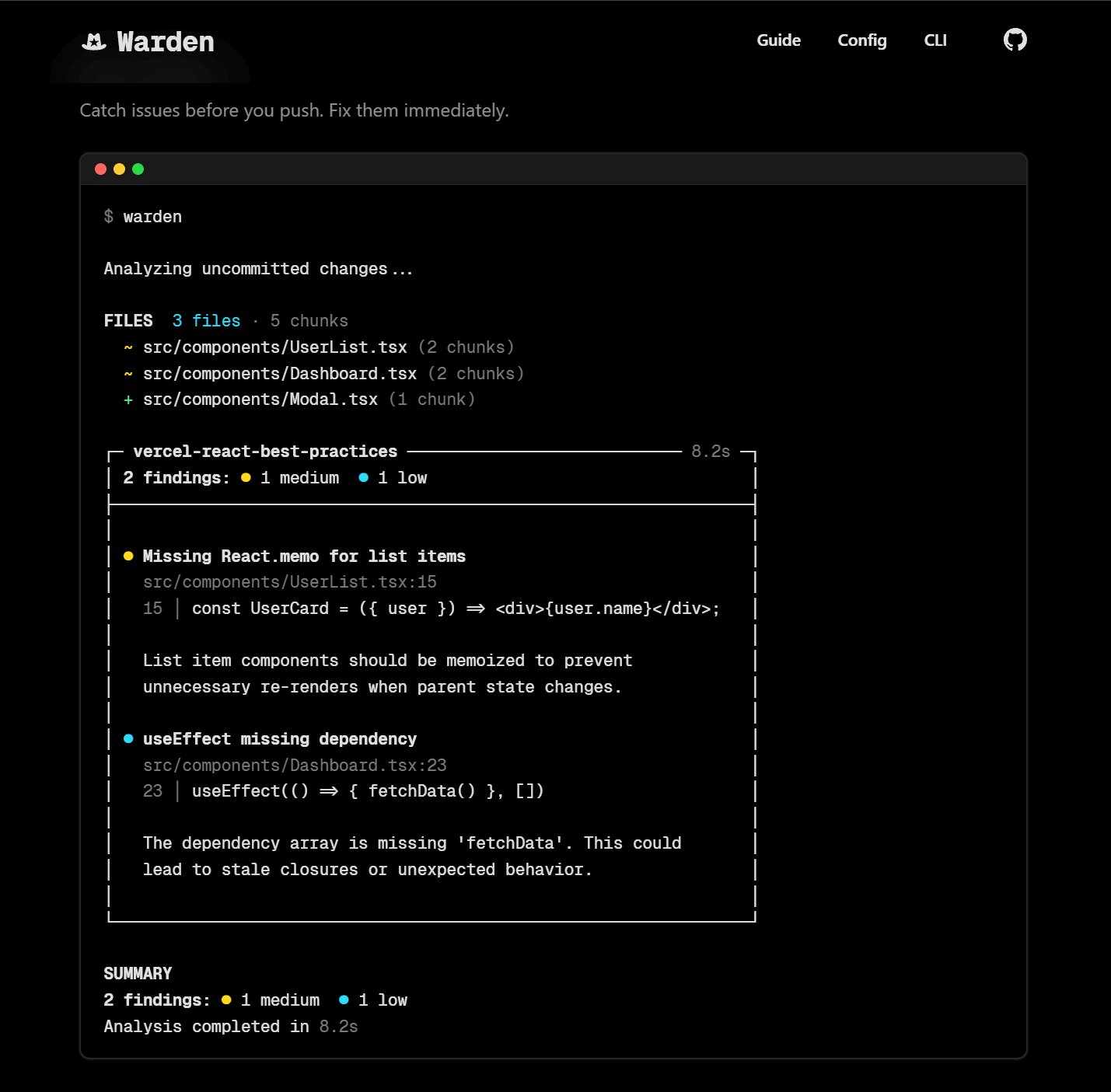
It’s not perfect yet, but it’s dead simple to plug in any skill (aka a prompt) and have it act as a linter/reviewer. The quality is only going to be as good as the skill or the harness, and you’ll find that right now it performs best when the skill provided is fairly targeted at your use case (rather than a generic “find the bugs” skill).
It isn’t competitive with the big products that are dedicated to one task (or at least my half-assed attempt to show a ‘notseer’ demo aren’t yet), but it’s great for setting up agents that are more purpose-built for your projects.
I went into this with the singular goal to prevent a certain class of bug from ever making it through a Pull Request. That meant not worrying about cost, so you can expect this to cost more than your hyper-discounted favorite code review tool. You’ll be able to see stats on its token consumption and cost with every single output to get an idea, including on Pull Requests.
Docs are live at warden.sentry.dev. Given we’re moving fast and it’s still a beta release, the cleanest way to test the local CLI in its current state is going the contributor route:
git clone https://github.com/getsentry/warden.git
cd warden
pnpm install
pnpm build
pnpm link -g
You’ll then want to go into your project and run warden init. This will create the baseline GitHub workflow (which is more or less universal) and the warden.toml. You’ll configure the skills you want to run automatically (or implicitly) with the toml, but you can run any skill that is available in the local codebase.
Don’t forget to bind your API key. You can do this with a .env.local in the project directory, or globally on your system as WARDEN_ANTHROPIC_API_KEY.
You can see how it works by using @vercel’s react-best-practices skill:
warden add --remote vercel-labs/agent-skills vercel-react-best-practicesDisclaimer: DO NOT INSTALL UNTRUSTED SKILLS. While the models do a good job of avoiding simplistic prompt injection, it’s always a possibility.
This will register the skill in Warden’s config and automatically cache the repository (and keep it in sync). It will also work with local skills, but we find management of skills is not where it needs to be yet and intend to keep ours in shared repositories.
Once you’ve got a skill setup you can then easily run it against local files using the CLI. For example, to run it across our Next.js app in Abacus:
warden "src/app/\*_/_.tsx"You’ll get a (hopefully) useful log of what’s going on as it happens, where it will run a handful of concurrent operations going through the configured skills and matching files:
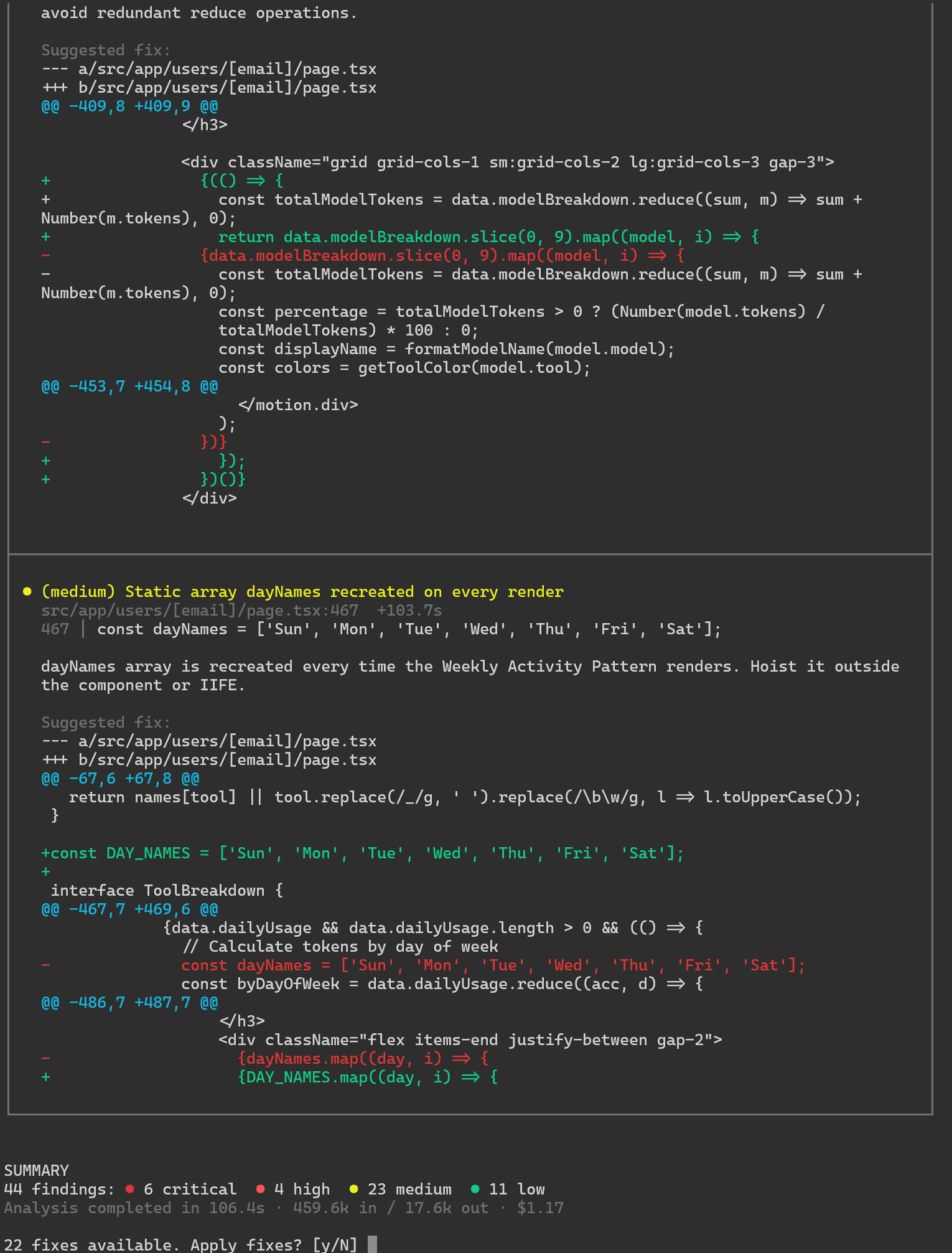
The result is an analysis with a (currently) somewhat questionable interactive set of fixes:
Note that run above was $1.17. Not much as a one-off, but watch your costs!
I’m still intending to plug the gaps in its harness so it does a better job of global context and verification, but so far we’ve proven it to be effective at identifying targeted security vulns, django-specific performance gaps, and of course your favorite react-best-practices.
We wanted to get this out there because we’re excited about the potential of the project and as you can expect from Sentry we generally work in public. If you give it a try I’d love to know what you think!
https://github.com/getsentry/warden https://warden.sentry.dev